![[ESX] Title System](https://dunb17ur4ymx4.cloudfront.net/packages/images/4c3c1157ec8abb93518371db8a940da53a98393c.png)
English Introduction
This script will allow your player to display his ID, name and special title above his head which can be fully controlled by the administrator.
Players can choose whether to display all of this on their screen.
Instructions
Administrator commands:
/addtitle [player ID] [title]: Add a title to the player.
/removetitle [player ID] [title]: Delete a title from the player.
Player commands:
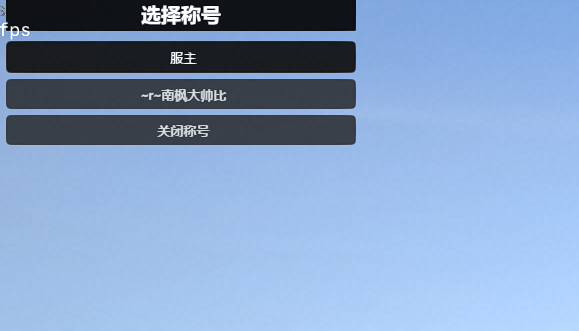
/titles: Open a menu to select the title to be displayed.
Notes
Make sure the esx_menu_default plugin is installed and configured correctly.
Make sure oxmysql is configured correctly and connected to the database.
Make sure the es_extended framework is initialized correctly.
Chinese Introduction(中文介绍)
这个脚本可以让你的玩家头顶显示他的ID、名字以及可由管理员完全控制的特殊称号
玩家可以自主选择是否在自己的屏幕上显示这一切。
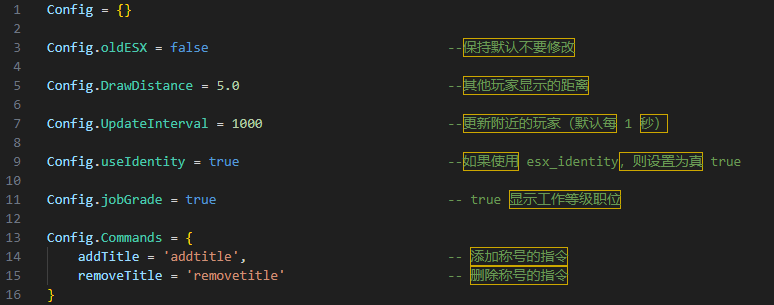
使用说明
管理员指令:
/addtitle [玩家ID] [称号]:给玩家添加一个称号。
/removetitle [玩家ID] [称号]:删除玩家的一个称号。
玩家指令:
/titles:打开菜单选择要显示的称号。
注意事项
确保 esx_menu_default 插件已正确安装和配置。
确保 oxmysql 已正确配置并连接到数据库。
确保 es_extended 框架已正确初始化。
Preview Image
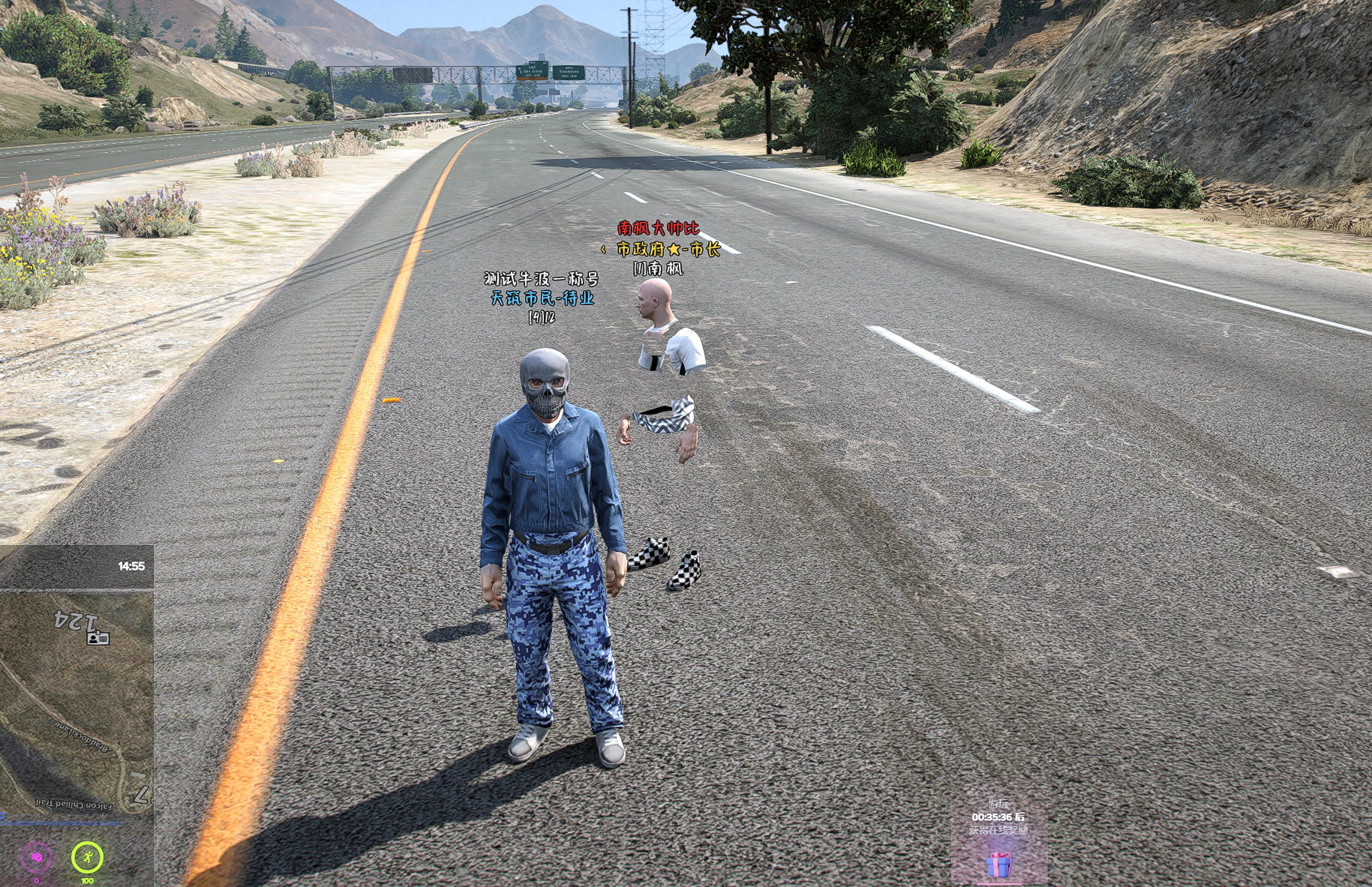
Title selection
Simple configuration